
Almost every tutor in Kerala has taught online at some point. A Zoom link, a WhatsApp group, a Google Drive folder full of PDFs, and you're in business.
That setup works for twenty students. It starts to crack at two hundred.
Recorded classes get shared outside the batch. Fee reminders pile up in your chats. Parents call asking how their child is doing, and you scroll through three apps to find the answer. Your best content sits in folders that nobody can find.
If this sounds familiar, the problem isn't your teaching. It's the tools around it. That's exactly the gap the best LMS for education is built to fill.
Table of Contents
- The Hidden Cost of "Free" Tools
- Why This Matters More in 2026
- So What Does an LMS Actually Do?
- LMS vs the Usual Zoom + WhatsApp Setup
- B2B LMS vs a Course Marketplace
- 7 Reasons Every Online Educator Needs the Best LMS
- What Makes an LMS the "Best" for Your Institute?
- Questions to Ask Before You Sign Up
- Common Mistakes Educators Make When Choosing an LMS
- Why Institutes in Kochi and Calicut Are Making the Switch
- Who Benefits Most
- A Day at a Coaching Centre, Before and After
- How to Move Your Institute Online, Step by Step
- Frequently Asked Questions
The Hidden Cost of "Free" Tools
Zoom, WhatsApp and Google Drive feel free. But add up what they actually cost you.
There's the hour every evening spent answering "Sir, where is today's recording?" There's the student who paid for one month and kept the Drive link for a year. There's the parent who moved their child to another institute because they never knew how the child was doing.
None of that shows up on a bill. It shows up in your energy, your income and your reputation.
Why This Matters More in 2026
Students now expect an app. They use one for food, one for banking and one for movies. When their learning lives in a messy WhatsApp group, it feels outdated, even if the teaching is brilliant.
The good news? Setting up a proper system is far easier and cheaper than most educators think. Let's look at what that system is, and why it changes everything.
So What Does an LMS Actually Do?
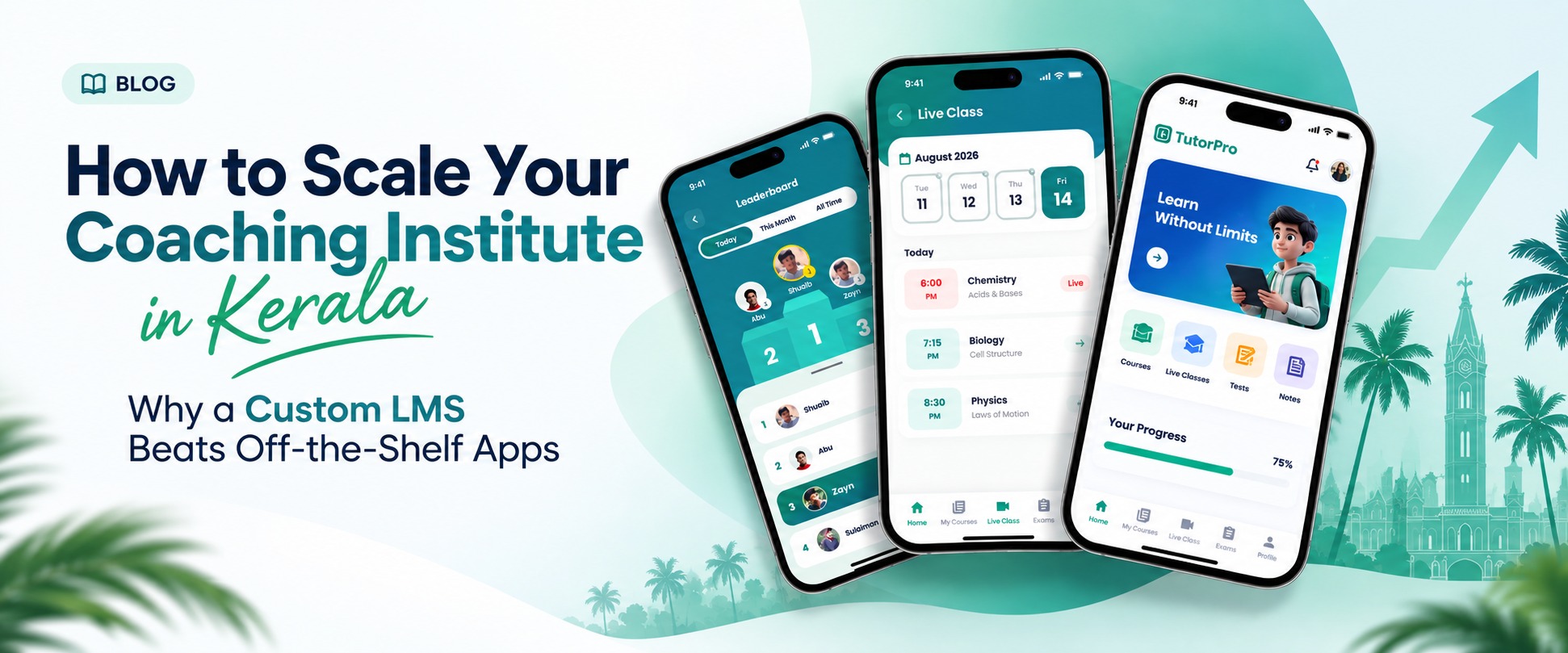
An LMS (Learning Management System) is one place where your whole institute lives online. Think of it as your classroom, office, library and exam hall, rolled into a single app with your name on it.
Instead of juggling five tools, students log in once and find everything:
- Live classes and recorded lectures
- Notes, PDFs and study material
- Mock tests, quizzes and practice questions
- Attendance, progress reports and results
- Fee payments and course enrolment
For you, it means one dashboard. You can see who attended, who's falling behind, and who hasn't paid, without asking anyone.
LMS vs the Usual Zoom + WhatsApp Setup
| Task | Zoom + WhatsApp + Drive | A Proper LMS |
|---|---|---|
| Sharing recordings | Upload, copy link, post in group | Recording appears in the course automatically |
| Protecting content | Anyone can forward the link | Watermarks, device limits, no downloads |
| Running a mock test | Google Form, manual scoring | Auto-graded with rank list and analysis |
| Tracking attendance | Screenshot of participants | Recorded for every class, every student |
| Collecting fees | UPI screenshots in chat | Online payment with receipts and reminders |
| Updating parents | Phone calls and voice notes | Parent login with live progress |
| Your brand | Zoom's and WhatsApp's | Your own app, your own logo |
B2B LMS vs a Course Marketplace
There's an important difference here. Course marketplaces let you list your course next to thousands of others. They own the students, set the rules and take a cut.
A B2B LMS works the other way. The platform is yours. The students belong to your institute, the data stays with you, and you decide the pricing. For any serious educator or coaching centre, that control is worth a lot.
7 Reasons Every Online Educator Needs the Best LMS for Education
1. Your Content Stays Yours
You spent years building your notes and recordings. On open platforms, one screen share or forwarded link and they're gone. A good LMS adds video protection, watermarking and device limits, so your hard work isn't handed out for free.
Think about it this way. If one batch of 100 students pays for your course, and the recordings leak to 500 more, you've just taught 500 people for nothing. Worse, those 500 will never join your next batch, because they already have your content. Protecting your material isn't about being stingy. It's about keeping your business alive.
2. You Get Your Evenings Back
Attendance, fee reminders, test scoring and report cards eat hours every week. An LMS does most of this on its own. That time goes back into teaching, or simply resting.
Most tutors we talk to say the same thing: the teaching isn't what tires them out. It's everything after the class ends. Uploading files, correcting tests, updating spreadsheets, replying to the same question twenty times. Automating that work is often the single biggest improvement in an educator's daily life.
3. Students Actually Stay Engaged
Online students drift away quietly. With progress tracking, regular quizzes and reminders, you spot the student who's slipping before they drop out, not after.
In a physical classroom, you can see a bored face or an empty bench. Online, a student can switch off their camera and disappear for weeks. An LMS gives you back that visibility. You'll see who watched the recording, who skipped the last three tests, and who's scoring lower than last month. A quick call at the right moment can save that student, and the fee that comes with them.
4. Parents Trust What They Can See
In Kerala, parents are part of the decision. When they can check attendance and test scores on their phone, they stop worrying and start recommending you to others.
This matters even more for families with a parent working in the Gulf. They can't drop in to meet the teacher. A parent app with attendance, marks and announcements keeps them connected to their child's studies from thousands of kilometres away. That kind of transparency builds loyalty that no advertisement can buy.
5. Your Brand Looks Professional
A branded app with your institute's name and logo says something a WhatsApp group never will. A white-label LMS puts your brand on the Play Store, not someone else's.
First impressions count. When a parent searches for your institute and finds a proper app with your logo, good reviews and a clean interface, they've already half decided. Your own app is also free marketing. Every time a student opens it, they see your name, not a third-party platform's.
6. You Can Grow Without Hiring More Staff
Going from one batch to ten shouldn't mean ten times the admin work. With the right system, adding students, courses and teachers is a few clicks.
An LMS also opens doors you might not have considered. You can sell recorded courses to students who can't attend live, launch crash courses before exams, or offer test series on their own. Each of these brings in income from the content you've already created, without adding more hours to your week.
7. Money Comes in On Time
Online payments, automatic reminders and access that pauses when fees are due. No awkward follow-up calls, no lost tracking in notebooks.
Cash flow is where many small institutes struggle quietly. Late fees add up, and chasing them damages relationships with students and parents. When the system sends polite reminders and handles payments automatically, everyone stays comfortable, and you get paid on time.
What Makes an LMS the "Best" for Your Institute?
Not every LMS fits every educator. A big university and a PSC coaching centre in Kozhikode have very different needs. Before you sign up, check these:
| What to Check | Why It Matters |
|---|---|
| Your own branded app | Students download your app, not a generic one |
| Live + recorded classes | Teach live, and let students rewatch anytime |
| Content security | Stops screen recording and link sharing |
| Mock tests and question banks | Essential for NEET, JEE, PSC, IELTS and OET prep |
| Malayalam-friendly interface | Easier for students and parents across Kerala |
| Fee collection built in | No separate payment links or manual tracking |
| Works on low-end phones | Many students learn on budget Android phones |
| Local support team | Help in your language, in your time zone |
That last point is underrated. When something breaks the night before an exam, you want someone who picks up the phone, not a ticket that gets answered in three days.
Questions to Ask Before You Sign Up
A demo always looks good. These questions tell you what life is like after you've paid:
- Will the app be published under my institute's name on the Play Store and App Store?
- Who owns the student data if I decide to leave?
- How do you stop students from screen recording or sharing videos?
- What happens when 500 students join a live class at the same time?
- Can I add new teachers and batches myself, or do I need your help each time?
- Is training included for my staff?
- How quickly does your support team respond, and in which language?
- Are there any hidden charges for storage, video hours or extra students?
Common Mistakes Educators Make When Choosing an LMS
- Picking the cheapest option — a low monthly fee looks great until video storage costs extra, or the app crashes during exams
- Choosing features over fit — a platform built for corporate training won't understand rank lists, PSC mock tests or batch-wise timetables
- Ignoring the student experience — if the app is slow or confusing, students will go back to asking for WhatsApp links
- Forgetting about support — software from a company abroad may be powerful, but it won't help much at 10 pm before a KEAM mock test
- Not planning the move — switching works best when you migrate one batch first, learn the system, then bring everyone else across
Why Institutes in Kochi and Calicut Are Making the Switch
Kerala has always taken education seriously. From entrance coaching in Kochi to PSC and language training centres in Calicut, the competition for students is real, and it's moving online fast.
Students today compare institutes the way they compare phones. They check the app, the reviews and the demo class before they ever walk in. An institute with its own polished learning app simply looks more trustworthy.
There's also the Gulf connection. Many Kerala families have someone abroad, and students in the UAE, Saudi Arabia or Qatar still want Kerala teachers and Malayalam explanations. A strong LMS lets a centre in Calicut teach a student in Dubai as easily as one down the road.
That's why so many educators searching for the best LMS in Kochi or the best LMS in Calicut aren't just looking for software. They're looking for a local partner who understands how Kerala learns.
Who Benefits Most
- Coaching centres for NEET, JEE, KEAM and PSC
- IELTS, OET and language institutes
- Schools and colleges adding online learning
- Independent tutors and YouTube educators ready to go professional
A Day at a Coaching Centre, Before and After
Picture a PSC coaching centre in Calicut with 300 students across six batches.
Before: The day starts with forty WhatsApp messages. Two teachers forgot to share yesterday's recording. The office staff spend the afternoon matching UPI screenshots to student names. A mock test goes out as a Google Form, and someone corrects 300 answer sheets by hand. The owner finds out a batch is unhappy only when three students quit.
After: Students open the institute's app and find yesterday's class already uploaded. Fee reminders went out automatically last week. The weekly mock test is scored in seconds, with a rank list that students love to compare. The owner checks one dashboard over morning tea and knows exactly which batch needs attention.
Same teachers. Same students. A completely different way of running the institute.
How to Move Your Institute Online, Step by Step
Switching doesn't have to be stressful. Most institutes follow a simple path:
- List what you already have — gather your notes, recorded videos, question banks and student lists in one place
- Pick one batch to start — choose a small, friendly batch to try the new system first
- Set up your branded app — add your logo, colours, courses and teachers
- Upload content and tests — organise material by subject and chapter, so students find things easily
- Train your team — a short session for teachers and office staff saves a lot of confusion later
- Tell students and parents — explain what changes and show them how to log in; a short demo video helps
- Move everyone else across — once the first batch is happy, bring the rest of your institute over
- Watch the numbers — use attendance and test reports to improve your teaching every month
Frequently Asked Questions
1. What is the best LMS for education in Kerala?
The best one is the LMS that fits how you teach. Look for your own branded app, strong content security, built-in tests and fee collection, and a support team based in Kerala.
2. Is an LMS only for big institutes?
No. Solo tutors often benefit the most, because they have no admin staff. An LMS does that work for them.
3. What's the difference between an LMS and a learning app?
The LMS is the system behind the scenes. The learning app is what your students see on their phones. The best learning app in Kerala is usually just a well-built LMS with your branding on top.
4. Can I teach students in the Gulf with an LMS?
Yes. Live classes, recordings and tests work from anywhere, so students abroad get the same experience as local ones.
5. How long does it take to get started?
With a ready-made, white-label LMS, most institutes can launch their own app in a few weeks, not months.
6. Will my students find it hard to use?
Not if the app is designed well. Most students already use far more complicated apps every day. A simple layout and a Malayalam-friendly interface make it easy for both students and parents.
7. Can I still use Zoom for live classes?
Many LMS platforms integrate live classes directly, so you don't need a separate Zoom account. Recordings are saved straight into the course.
8. Is my content safe on an LMS?
A good LMS protects videos with watermarking, screen-recording blocks and device limits. Always ask the provider exactly how they do this before signing up.
9. What does an LMS cost?
Pricing depends on the number of students, features and whether you want your own branded app. Ask for a clear quote that includes storage, video hours and support, so there are no surprises later.
10. Do I need technical knowledge to run an LMS?
No. If you can use WhatsApp and Google Drive, you can run a modern LMS. A good provider will set things up and train your team.
Ready to take your teaching further?
You didn't become an educator to chase fee payments and fix shared links. The best LMS for education handles that, so you can focus on what you do best: teaching.
Online education in Kerala isn't a trend anymore. It's simply how students learn now. The institutes that grow over the next few years won't necessarily be the biggest or the oldest. They'll be the ones that give students a smooth, professional experience from the first class to the final exam.
The right LMS makes that possible, whether you're a single tutor with one batch or a coaching centre with thousands of students.
If you run a coaching centre, school or tutoring business in Kochi, Calicut or anywhere in Kerala, TutorPro by Trogon Media gives you your own branded learning app, built and supported right here at Cyberpark, Calicut.