You don't choose an LMS because it has 100 features. You choose it because your students can learn better and your team can manage education more easily.
If you're an educator in Kerala, you may have already come across Graphy. Perhaps you've considered it for selling recorded courses. Maybe you're already using it. Or perhaps you're now reaching a stage where your requirements are becoming more complicated.
You started with:
Then came:
And suddenly, your LMS isn't just a place to upload videos. It has become part of your education business.
That's usually when educators start looking for Graphy alternatives. Not necessarily because Graphy is a bad platform. But because the platform that was perfect when you started may not be the platform you need when you grow.
Table of Contents
- First, Is Graphy a Good LMS?
- Why Are Educators Looking for Graphy Alternatives?
- A Story Most Growing Educators Will Recognise
- What Should You Look for in a Graphy Alternative?
- Best Graphy Alternatives for Different Types of Educators
- Graphy vs Other LMS Platforms: Don't Compare Only Names
- Ready-Made LMS vs Custom LMS
- Where TutorPro Fits In
- A Real Example: What a Kerala PSC LMS Could Look Like
- Before Switching From Graphy, Do This
- The 12 Questions Every Educator Should Ask an LMS Provider
- So, What Is the Best Graphy Alternative in 2026?
- The Best LMS Is the One Your Students Don't Have to Fight With
- Final Thought
First, Is Graphy a Good LMS?
Yes. It's important to start there.
Graphy is a well-established platform for creators and education businesses. Its current offering includes course delivery, live classes, websites, branded mobile apps, payments, analytics, marketing tools and AI-powered features. Its current India pricing also includes plans for creators and larger education businesses.
So this article isn't about saying:
"Graphy is bad. Use something else."
That's not useful advice. The better question is:
Is Graphy the right LMS for the way you teach, manage students and plan to grow?
For some educators, absolutely. For others, another LMS may be a better fit. And for institutions with highly specific requirements, a custom LMS may ultimately make more sense.
Why Are Educators Looking for Graphy Alternatives?
The reasons are different for every institution. But after speaking with educators and looking at how learning platforms are actually used, several questions come up again and again.
- "Can I customise the platform around my teaching method?"
- "Can I create the exam system I actually need?"
- "Can I have complete control over my brand?"
- "Can I connect it with my existing software?"
- "What happens when I have 10,000 students?"
- "How much will I pay as my revenue increases?"
- "Can I build new features when my business changes?"
- "What happens to my students and data if I ever leave the platform?"
These questions become particularly important for Kerala's coaching and competitive-exam ecosystem.
A PSC coaching institute doesn't operate like a YouTube educator. A professional training academy doesn't operate like a school. And an EdTech startup doesn't operate like a small course creator.
Your LMS needs to understand that difference.
A Story Most Growing Educators Will Recognise
Let's imagine a coaching institute in Kozhikode.
The institute starts with 200 students. The owner chooses an LMS, uploads recorded classes and starts selling courses. Everything works.
Then the institute grows. 200 students become 1,000. Then 1,000 becomes 5,000.
The institute introduces:
- Daily quizzes
- Weekly mock tests
- Live classes
- Recorded revision
- Multiple batches
- Rank lists
- Student mentoring
- Faculty dashboards
- Mobile applications
- Payment plans
The owner now has a completely different problem. The question isn't:
"Can my LMS host a video?"
Almost every modern LMS can do that. The question becomes:
"Can my LMS support the way my institution actually operates?"
That is the point where comparing Graphy alternatives becomes worthwhile.
What Should You Look for in a Graphy Alternative?
Don't begin with pricing. Don't begin with the number of features. Start with your students.
1. How Do Your Students Actually Learn?
Do they mainly:
- Watch recorded classes?
- Attend live sessions?
- Take mock exams?
- Download PDFs?
- Learn through mobile?
- Ask doubts?
- Participate in communities?
- Need regular mentoring?
Your LMS should reflect this behaviour.
2. Does It Support Your Examination Model?
For many Kerala coaching institutes, the examination system is more important than the course player.
Think about a PSC coaching centre. Students may need:
Your LMS should be able to support that learning cycle. Look for:
- Question banks
- Timed tests
- Multiple question types
- Negative marking
- Randomised questions
- Test series
- Instant results
- Rank lists
- Topic-wise analysis
- Batch-wise performance
- Student performance history
If examinations are central to your business, don't choose an LMS based mainly on how attractive its course dashboard looks. Test the examination engine.
3. Live Classes Shouldn't Exist Separately From Your LMS
A common problem is having one platform for courses and another for live classes.
Students receive one link for the course. Another link for Zoom. Another link for WhatsApp. Another place for study materials. Another system for exams.
Eventually, students don't know where to go.
A good LMS should bring these experiences together:
That creates a much smoother learning journey.
4. Recorded Classes Need More Than Video Hosting
A student doesn't want a folder full of videos. They want a learning path.
For example, Kerala PSC – General Knowledge:
- Module 1 — Indian History
- Module 2 — Kerala History
- Module 3 — Indian Constitution
- Module 4 — Current Affairs
- Module 5 — Mock Test
That structure matters. Look for:
- Course chapters
- Lesson sequencing
- Progress tracking
- Resume watching
- Secure video delivery
- Notes and attachments
- Access control
- Completion tracking
5. Mobile Experience Is Not Optional
Ask yourself a simple question: where are your students actually studying?
For many learners, the answer is their phone. They may watch a class at home. Take a test while travelling. Revise a PDF between classes. Check a notification during a break.
So don't ask whether an LMS has a mobile app. Ask:
"Would my students actually enjoy learning through this app?"
That is a much better question.
6. AI Should Help Students Learn—Not Just Look Impressive
Every LMS seems to be adding AI. But educators should be careful.
Putting an "AI" button inside an LMS doesn't automatically make it an AI-powered learning platform. Ask what the AI actually does. Can it:
- Explain concepts?
- Answer student questions?
- Generate practice questions?
- Help with revision?
- Understand your course content?
- Provide contextual answers?
- Support teachers?
- Analyse learning behaviour?
More importantly: does the AI encourage learning, or does it simply give students answers? That distinction matters.
Current education research is increasingly emphasising purposeful use of AI rather than simply outsourcing student thinking to generative AI.
For educators, the goal should be:
AI + Teacher + Student — not AI instead of Teacher.
7. Analytics Should Help You Take Action
A dashboard showing "5,000 students" isn't particularly useful. You need to know what is happening.
For example: "340 students haven't completed the last three lessons." That's useful.
Or: "Students are consistently scoring below 50% in Indian Polity." Even better. Now the teacher can intervene.
A useful LMS should help answer questions such as:
- Which students are falling behind?
- Which courses are performing well?
- Which lessons have high drop-off?
- Which topics have poor scores?
- Which batch is performing better?
- Who hasn't attended recent classes?
- Who needs mentoring?
Good analytics don't just report what happened. They help you decide what to do next.
8. Branding Matters More as You Grow
When you're starting, having your own logo on a platform may feel like enough. Later, your requirements change. You want:
- Your domain
- Your colours
- Your logo
- Your mobile app
- Your student experience
- Your notifications
- Your brand identity
Graphy's current plans include branded mobile applications, with the specific availability depending on the plan.
But before choosing any LMS, ask exactly what "branded" means. Is it:
- Your logo only?
- Your own domain?
- Your own Android app?
- Your own iOS app?
- Your own App Store / Play Store identity?
- Your own design?
- Your own workflows?
These are very different levels of ownership and branding.
9. Think About Your Costs Before You Grow
This is one of the most important parts of choosing an LMS.
Don't calculate "how much does the LMS cost per month?" Calculate "how much will this LMS cost me when my education business becomes successful?"
For example, Graphy's current India pricing page lists:
| Plan | Pricing |
|---|---|
| Launch | ₹24,999/year + 10% per sale |
| Grow | ₹49,999/year + 7.5% per sale |
| Rise | ₹99,999/year + 5% per sale |
The listed plans also differ in areas such as AI features, concurrent live sessions, mobile apps, APIs and SSO. These figures can change, so always verify the provider's current commercial terms before purchasing.
The important lesson isn't that Graphy is expensive. It's this:
Never look at the subscription price alone.
Look at:
That's your real cost.
10. Ask About Data Before You Sign Anything
This is something educators often overlook. Your LMS contains valuable information: student details, course data, learning progress, exam results, payment information, content, teacher information and business data.
Before signing up, ask:
- Who owns my student data?
- Can I export it?
- Can I export my course content?
- What happens if I cancel?
- How long will my data remain available?
- Can I migrate to another platform?
These aren't uncomfortable questions. They're responsible business questions.
Best Graphy Alternatives for Different Types of Educators
There is no single best alternative. The right choice depends on what you're building.
| Your requirement | What to prioritise |
|---|---|
| Individual course creator | Easy course creation + payments |
| Small coaching institute | Courses + tests + live classes |
| PSC/competitive coaching | Advanced exams + analytics + batches |
| Professional training | Projects + assessments + certificates |
| School | Teachers + students + assignments + communication |
| College | Departments + faculty + academic workflows |
| Large EdTech | Scalability + integrations + ownership |
| Custom education business | Custom LMS + custom workflows |
This is why copying another institute's LMS decision isn't always a good idea.
Graphy vs Other LMS Platforms: Don't Compare Only Names
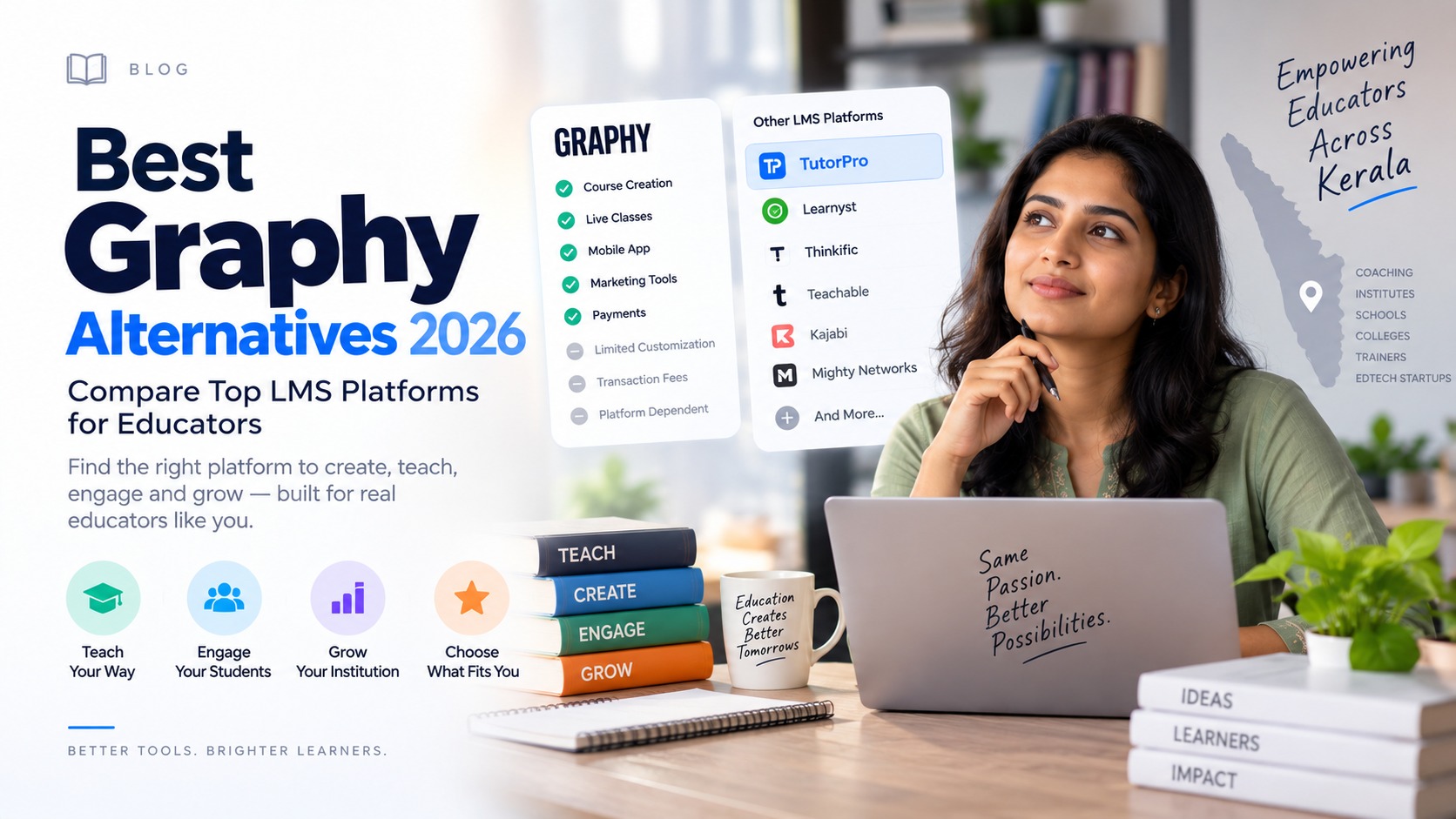
When researching Graphy alternatives, you'll come across platforms such as:
- Learnyst
- Classplus
- TrainerCentral
- Thinkific
- Teachable
- Kajabi
- Podia
- Custom LMS platforms
Each approaches online education differently. Some focus on course creators. Some focus on coaching institutes. Some focus on marketing and selling courses. Some focus on communities. Some focus on custom education infrastructure.
For example, Learnyst positions itself around online learning businesses and includes capabilities such as assessments, mobile apps and content protection.
The question isn't:
"Which company is better?"
The question is:
"Which model fits my institution?"
Ready-Made LMS vs Custom LMS
This is the decision many growing institutions eventually face.
Ready-Made LMS
You get a platform that already exists.
Advantages
- Faster launch
- Lower initial complexity
- Established features
- Easier setup
- Regular platform updates
Best for
- New educators
- Small course businesses
- Standard learning models
- Institutions with straightforward requirements
Custom LMS
A custom LMS is developed around your institution.
Advantages
- Your own workflows
- Greater flexibility
- Custom examination system
- Custom integrations
- Your own branding
- Greater control over the learner experience
- Ability to build features around your future roadmap
Best for
- Large coaching institutes
- Universities
- Professional training businesses
- Established EdTech companies
- Institutions with unusual workflows
- Businesses planning long-term digital growth
The trade-off is simple:
Ready-made = faster to start. Custom = more control to grow.
Neither is automatically better.
Where TutorPro Fits In
This is where TutorPro takes a different approach.
TutorPro isn't positioned as "another website where you upload courses." The idea is to build a complete learning platform around the institution.
That can include:
- Live classes
- Recorded classes
- Online examinations
- Question banks
- Quizzes
- Study materials
- Student management
- Teacher management
- Analytics
- Gamification
- Notifications
- Payments
- AI-powered learning assistance
- Android application
- iOS application
- Custom integrations
The important difference is customisation.
If you're running a PSC coaching institute, your platform can be designed around the way your students prepare for PSC. If you're running a professional training academy, the workflow can be built around projects, assessments and certification. If you're building an EdTech startup, the platform can be designed around your product roadmap.
That's the idea behind TutorPro.
Your LMS should fit your education business—not force your education business to fit the LMS.
A Real Example: What a Kerala PSC LMS Could Look Like
Imagine a student joins a PSC course.
Day 1
They receive access to:
- Today's Live Class
- Recorded Lessons
- Study Materials
- Daily Quiz
After the class
The recording becomes available automatically.
Evening
The student takes a 20-question quiz. The platform identifies weak areas.
Weekend
The student takes a full mock test. The system generates a performance report.
Next week
The platform recommends revision. The teacher sees that 35% of the batch is struggling with one topic. The teacher schedules an additional revision class.
Now the LMS isn't simply storing educational content. It is supporting the entire learning cycle. That's what educators should be looking for.
Before Switching From Graphy, Do This
If you're already using Graphy, don't cancel your account tomorrow. First make a list.
Step 1: Identify what is actually bothering you
Is it:
- Cost?
- Transaction fees?
- Customisation?
- Exams?
- Mobile apps?
- Analytics?
- Integrations?
- Student experience?
- Branding?
- Support?
Step 2: Separate "must-have" from "nice-to-have"
For example:
Must have
- Advanced exam system
- Branded app
- Custom domain
- Student analytics
Nice to have
- Gamification
- AI chatbot
- Communities
This prevents you from buying another platform simply because it has more features.
Step 3: Test with real students
Don't only attend a sales demo. Give the platform to 5 teachers, 20 students and 1 administrator, and let them use it.
You'll learn more in one week than you can learn from 20 sales presentations.
The 12 Questions Every Educator Should Ask an LMS Provider
Before signing a contract, ask:
- 1. Can I customise the platform?
- 2. Can I customise the student dashboard?
- 3. Can I create my own examination workflow?
- 4. Can I export my student data?
- 5. Can I export my course content?
- 6. What happens if I leave the platform?
- 7. Are transaction fees charged?
- 8. Are mobile apps included?
- 9. Who publishes the mobile apps?
- 10. Can I integrate my CRM, payment gateway or other software?
- 11. How does the platform scale when student numbers increase?
- 12. What does support look like after launch?
If a provider cannot give you clear answers, slow down before signing.
So, What Is the Best Graphy Alternative in 2026?
There isn't one answer. And that's actually good news.
If you're an individual educator who wants to sell a few courses, a ready-made LMS may be exactly what you need. If you're running a coaching institute, you should prioritise examinations, batches, live classes, mobile learning and analytics. If you're building a professional training business, look at projects, assessments and certifications.
And if you're building a large education business where the LMS itself is becoming part of your competitive advantage, you should seriously consider a custom LMS.
That's where TutorPro can be a strong option.
The Best LMS Is the One Your Students Don't Have to Fight With
At the end of the day, students don't care whether your LMS has 50 features. They care about simple things.
- Can I find my class?
- Can I watch it without problems?
- Can I take my test easily?
- Can I see where I stand?
- Can I ask for help?
- Can I continue learning from my phone?
- Can I understand what I need to improve?
And educators care about something equally important:
Can I manage all of this without creating more work for my team?
That's the real test of an LMS.
Final Thought
Graphy may be the right choice for some educators. Learnyst may be better for another institution. A simpler platform may be enough for someone just starting. And a custom LMS may be the right long-term investment for an institution that has already outgrown standard platforms.
Don't choose an LMS because everyone else is using it. Choose it because it fits your students, your teaching model and your future.
And if you're at the stage where you're asking:
"Should we continue with a ready-made LMS, or should we build our own?"
That's exactly the conversation worth having before making your next technology decision.
Build your learning platform around the way you teach with TutorPro. Tell us what you're trying to build.